Taking a screenshot of your device
If you want to capture some information that’s displayed on your screen, such as a receipt, it can often be helpful to take a screenshot.
Luckily this is easy on all devices, Windows, Mac, iOS and Android.

Tekee Tim is full of useful hints and tips to get more out of your computers, tablets, smart phones and systems, and online services, so bookmark this page and keep coming back for more tips.
If you want to capture some information that’s displayed on your screen, such as a receipt, it can often be helpful to take a screenshot.
Luckily this is easy on all devices, Windows, Mac, iOS and Android.

In a previous Tekeez Tip, we showed you how to see where your disk space was being used in both Windows and macOS. As this process has now changed in both Windows 11 and macOS Ventura, we thought it was time for a new time to help you see what's using up all your disk space.

One of the new features for the iPhone in iOS 11 is a one handed keyboard. If you have one of the larger iPhones and regularly use it with one hand, this can make typing much easier.
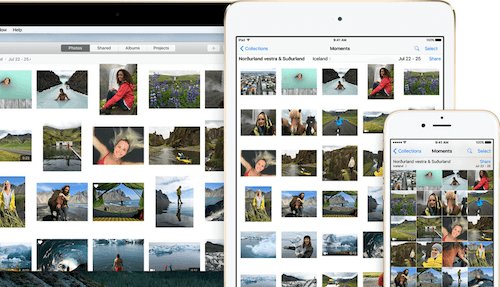
If you enjoy taking photos and storing them on your computer or mobile device, you have access to a lot of free software that can help you enhance, resize and otherwise edit your photos. Basic software for doing this is built into Windows, macOS and iOS and we'll show you how to get started with it here.
One of the best new features in iPadOS 14 is Scribble, this lets you use your Apple Pencil to write into any text entry field on the iPad so you can handwrite messages, documents etc and the iPad will convert it into text, just as if you'd typed it in.
In this tip, we'll show you a few ways you can use it and also point you to the setting to get more info about how you can make the most of it.

As you travel around with your laptop, you'll end up connecting to all sorts of WiFi networks and this can cause problems if you're back at home or in the office and there's a WiFi hotspot nearby that your device keeps trying to connect instead of your own connection.
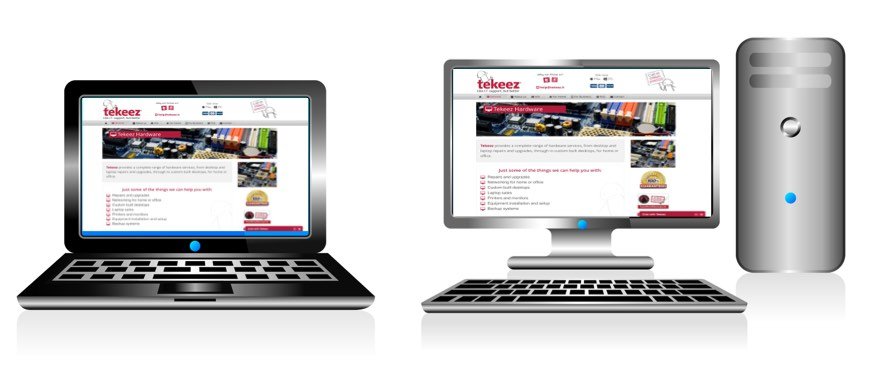
When you're looking for a new computer, there are a few things you need to bear in mind when making a decision.
In this week's tip, Tekee Tim will help you through the process.
As well as being a great, privacy focused search engine, DuckDuckGo also allows you to easily create QR codes right in your browser!
These days we all have passwords for everything and they all need to be unique, secure and cryptic but easy to access when you need them.
For years now we've been using and recommending 1Password as an easy way to create, store and enter passwords that match all the requirements above.

Microsoft's Anniversary Update for Windows 10 added a lot of new features and makes Windows 10 even more secure. However you may find that after you've installed it, you have a lot less free space on your C drive, here we'll show you how to free up this space.

Everyone knows how important it is to keep the files on your desktop, laptop or mobile device safe and secure. With all your photos, personal and work documents and other files stored across multiple devices, stopping people getting access to those files is very important.
In this tip, we'll show you how to make sure that all your devices are encrypted which means that even if someone steals your device, they shouldn't be able to steal any of your files.

When you've had your computer for a while, it's easy to start to lose track of where your files are stored, especially if you've created a lot of folders and have to spend time digging around for the correct file.
Fortunately, with both macOS and Windows, it's easy to find the files you need without having to do much work. You can also use the search tool to find applications, photos, settings as well as documents and emails, so you should be able to find anything you need at any time!


Tekeez support both PC/Windows users and Mac users equally, so whether you have a Mac or a PC we can help.
Tekeez are proud to have been providing legendary IT Superhero services and support for 30 years, since 1994.
Why not try our services and discover the secret of our success?